Quick Reference
Welcome to the Quantum Summer Lab 2026.
Here, you can learn and practice Q# quantum programming and deepen your quantum computing knowledge by solving challenges of varying difficulty.
This page serves as a quick reference guide, covering quantum logic fundamentals and Q# syntax essentials.
Use the table of contents on the right to navigate between topics.
About this platform
This platform provides an interactive environment to learn quantum computing by experimenting with quantum logic and Q# code.
The web application includes the following features:
Home page
The home page welcomes you with the organizers' logos and links to their websites. It also displays a visual overview of all challenges, categorized by difficulty and color-coded to show which ones you have solved.
Quick reference
This page provides information about the Quantum Summer Lab platform, quantum logic, gates and circuits, and the Q# programming language.
Challenge
Each challenge page displays the title, description, and a solution template.
Always read the full challenge description carefully, as it contains all requirements needed to solve it successfully.
The solution template provides the exact Q# operation signature you must implement. Your task is to write the code body without modifying the operation signature.
The 'Submit your solution' section includes a text field for your code and buttons to submit or clear it.
When you submit a solution, it is evaluated on our servers. If all tests pass, your solution is accepted and the challenge is marked as complete. If there are issues, you will receive feedback based on the specific challenge and can try again as many times as you need.
Below the submission box, you will find a history of all your attempts for future reference, including the submitted Q# code and the feedback you received.
You can also summon Qubit Buddy directly from the challenge page for assistance.
Leaderboard
The leaderboard displays all participating teams ranked by score and solving speed.
Scoring starts from a base of 100 points. Each solved challenge adds 100, 200, 300, or 400 points depending on its difficulty, while each failed attempt deducts 1 point.
While the Quantum Summer Lab is not a competition, the leaderboard provides motivation to do your best.
Qubit Buddy
Qubit Buddy is a custom LLM-based chat assistant with grounded knowledge about the Quantum Summer Lab and its challenges.
Use it to get help with Q#, quantum logic, or any challenge you are working on.
Qubit Buddy maintains your team's chat history, preserving conversation context for better assistance.
You can also access Qubit Buddy directly from any challenge page by clicking the dedicated button in the bottom-right corner.
Qubit Buddy can help you with:
Guidance on quantum logic, gates, and circuits.
Guidance on the Q# programming language.
Information and guidance on the current challenge you are working on. Use it on the challenge page, or tell it the challenge code (A1..D3) you are working on.
Information and guidance on your last attempt for a specific challenge.
Information about the leaderboard.
Prerequisites
For the best experience writing Q# code, we recommend using the Visual Studio Code editor. You can develop and test your solutions locally before submitting them to this platform.
Download and install Visual Studio Code along with its Q# extension to get started with Microsoft Q#:
Visual Studio Code (code editor with support for Q#)Azure Quantum Development Kit (QDK) extension
Use these links to learn more about Q#:
Introduction to the Microsoft Q# programming languageQuickstart: Create your first Q# program
Q# standard library documentation
Quantum logic
This section covers the most important quantum operations.
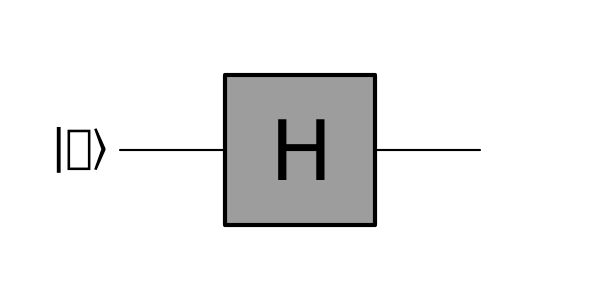
H-gate (Hadamard gate)
The Hadamard gate, based on the Hadamard transform and named after French mathematician Jacques Hadamard, is one of the most fundamental yet powerful quantum gates.
It manipulates a single qubit's state vector, placing it in a superposition of the |0⟩ and |1⟩ states. In circuit diagrams, it is represented as a box containing the letter H. The figure below shows the H-gate applied to a qubit |q⟩.
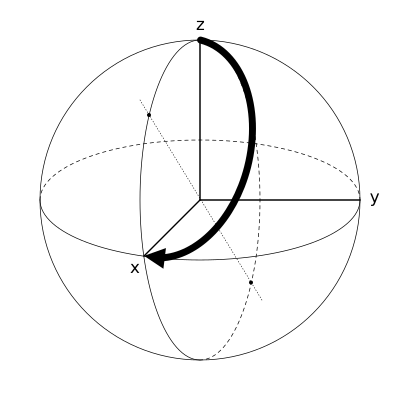
On the Bloch sphere, the Hadamard transformation appears as a π radian (180°) rotation around a diagonal axis between the x and z axes, as illustrated in the following figure.
X-gate (bit-flip gate)
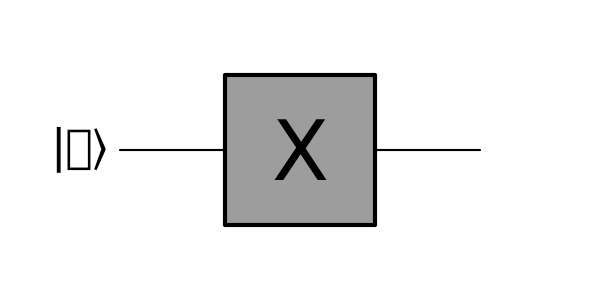
The X-gate, also known as the bit-flip gate, flips a qubit from |0⟩ to |1⟩ or from |1⟩ to |0⟩, making it analogous to the classical NOT gate.
In circuit diagrams, it is represented as a box containing the letter X. The figure below shows the X-gate applied to a qubit |q⟩.
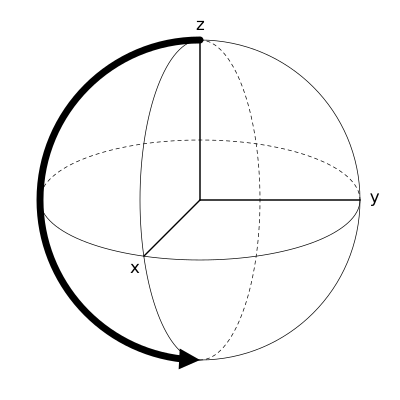
On the Bloch sphere, the X-gate performs a π radian (180°) rotation around the x-axis. Starting from |0⟩, this rotation brings the state to |1⟩, as shown in the following figure.
Y-gate
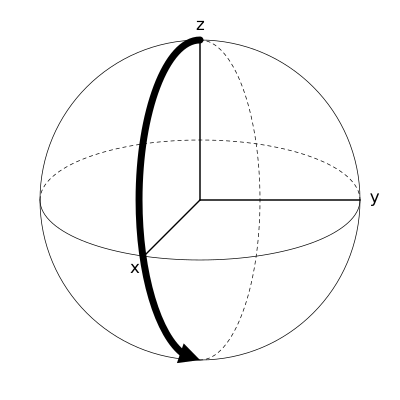
The Y-gate rotates the state vector by π radians (180°) around the y-axis.
Like other gates, it is represented in circuit diagrams as a box containing the letter Y. The figure below shows the Y-gate applied to a qubit |q⟩.
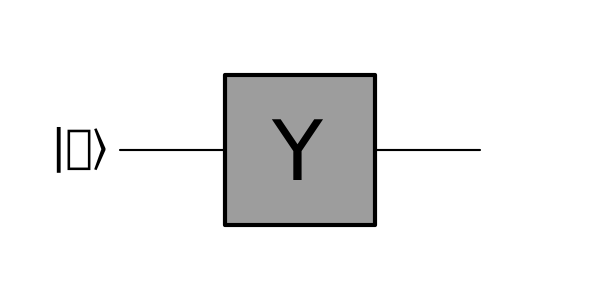
On the Bloch sphere, this appears as a π radian (180°) rotation around the y-axis. Starting from |0⟩, the state transitions to |1⟩, as illustrated in the following figure.
Z-gate
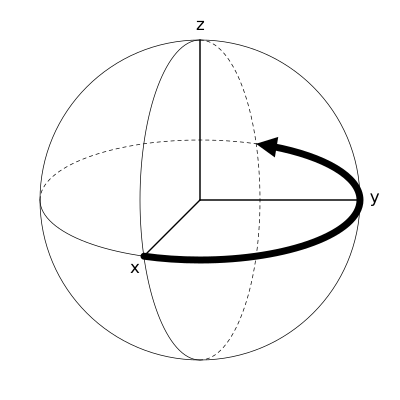
The Z-gate is the third rotation gate, rotating the state vector by π radians (180°) around the z-axis.
In circuit diagrams, it is represented as a box containing the letter Z. The figure below shows the Z-gate applied to a qubit |q⟩.
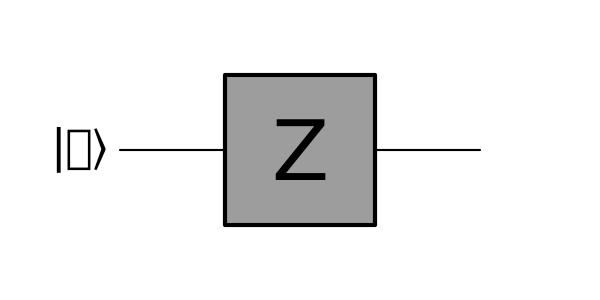
On the Bloch sphere, this is visualized as a π radian (180°) rotation around the z-axis. When starting from a superposition |+⟩ state, this rotation results in the |-⟩ superposition state, as shown in the following figure.
Measurement
The measurement operation differs from other quantum gates. Unlike unitary transformations, measurement collapses the quantum state to one of its basis states (|0⟩ or |1⟩). This makes it irreversible and technically not a true quantum gate, as it causes the wave function to collapse, destroying complex state information.
Measurement bridges the quantum and classical worlds. While quantum information enables computations impossible classically, we ultimately need classical results. A typical quantum algorithm begins with a classical computer preparing the quantum state, followed by quantum operations on quantum hardware, and concludes with measurements that return classical information.
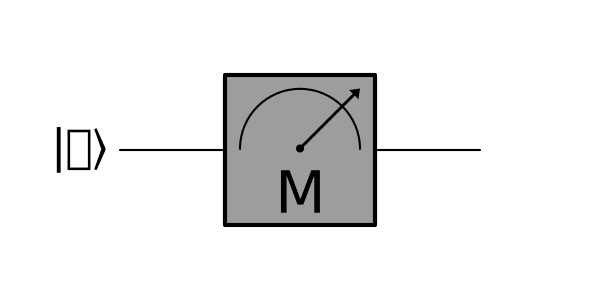
In circuit diagrams, measurement is represented by a box containing a measurement symbol and the letter M, as shown in the following figure.
CNOT-gate (Controlled-NOT)
The CNOT gate is a crucial quantum gate that forms the foundation for entanglement circuits. It is the controlled version of the X-gate, applying the X-gate to a target qubit only when the control qubit is in the |1⟩ state.
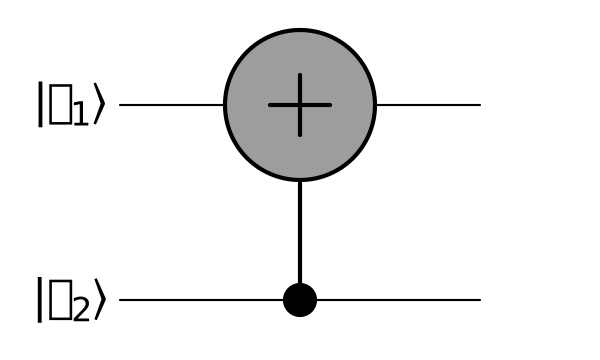
In circuit diagrams, the CNOT gate is represented with a solid dot on the control qubit and a circle with a plus sign on the target qubit. These two symbols are connected by a line to indicate they belong to the same gate. The figure below illustrates this.
Entanglement
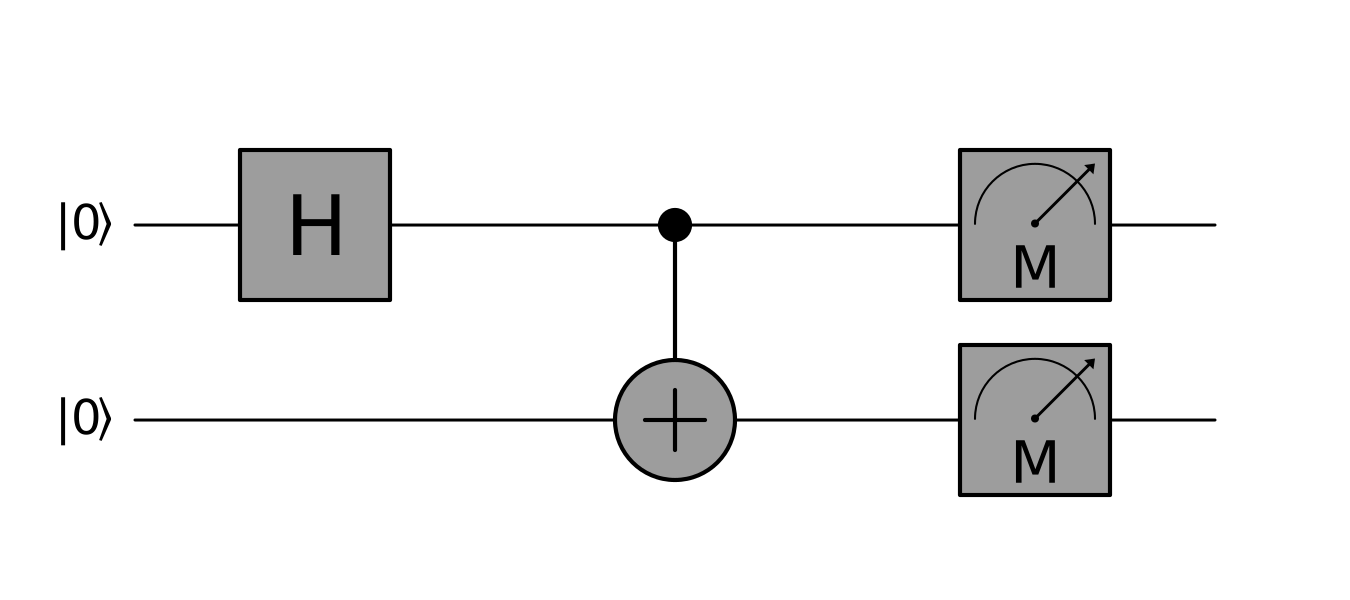
The figure below shows an entanglement circuit. Two qubits are initialized to |0⟩. The first qubit is placed in superposition using the Hadamard gate, then both qubits pass through a CNOT gate with the first (superposition) qubit as control and the second as target.
The CNOT applies the X-gate to the target only when the control is |1⟩. Since the control qubit is in superposition, the two qubits become entangled. When measured at the end of the circuit, they will collapse to either |00⟩ or |11⟩, each with a 50% probability.
Quantum teleportation
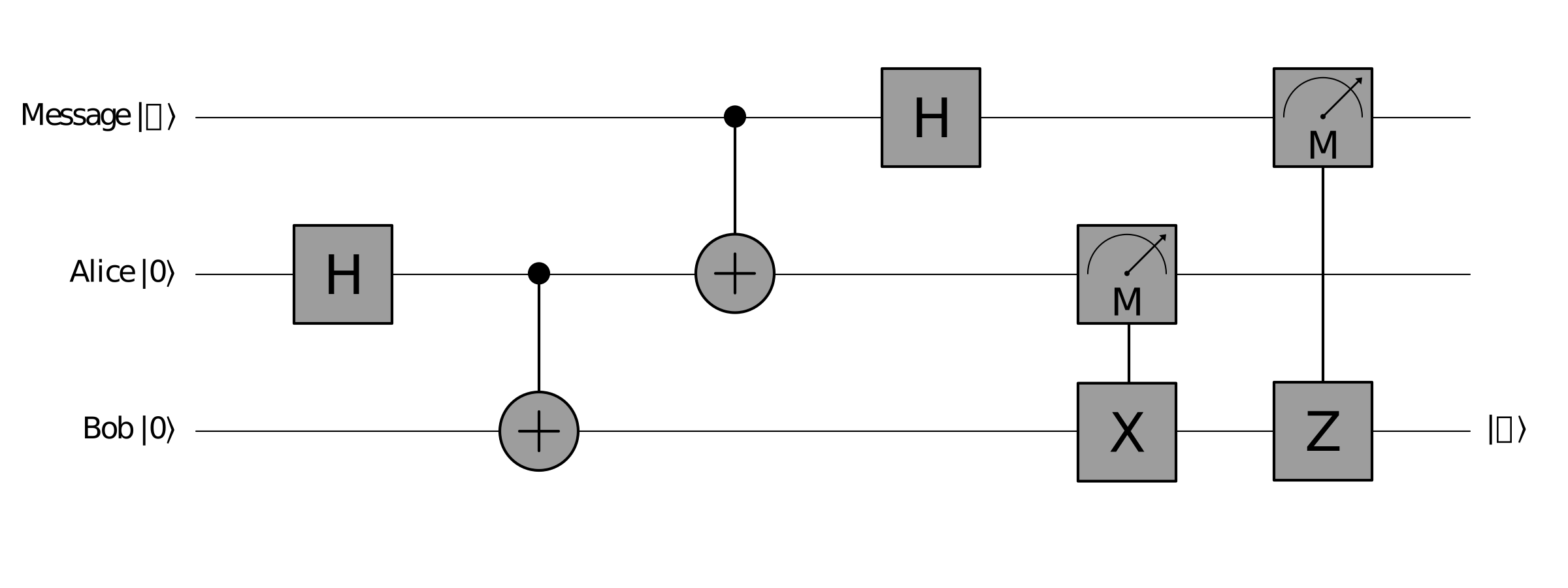
Quantum teleportation transfers a quantum state from one qubit to another. This state includes not just |0⟩ or |1⟩, but any superposition state.
The key word here is transfer. Quantum teleportation does not copy a quantum state—it moves it. This is enforced by the no-cloning theorem in quantum mechanics, which prevents copying quantum states. This constraint complicates quantum computing, as it prevents the use of classical error correction methods.
To maintain stability, quantum systems use logical qubits backed by multiple physical qubits. Since quantum states cannot be copied, the only way to achieve error correction is by repeating every operation across all physical qubits that compose a single logical qubit.
After teleportation, the source qubit becomes invalid and useless, as its state has been moved rather than copied.
The figure below illustrates a teleportation circuit that demonstrates this concept.
Q# in 15 minutes
This section provides a quick introduction to the Q# programming language.
Quantum operations
A quantum operation works similarly to functions or methods in other programming languages, with the key difference that it can manipulate the state of qubits.
An operation begins with the keyword operation, followed by its unique name and a parenthesized list of arguments. Arguments are comma-separated, each consisting of a name, a colon, and its data type. The declaration ends with a colon and the return type—use Unit when there is no return value. The operation body is enclosed in curly braces.
The example above shows an operation named Solve with a single argument q of type Qubit and a Unit return type, indicating no return value.
The Main operation is the entry point of any Q# application. Use it in Visual Studio Code *.qs files to simulate quantum programs locally.
Operations that return a value, such as an Int, must include a compatible return statement at the end of their body, or in every possible execution path.
Working with qubits
In Q#, a qubit is represented by the Qubit data type. Since qubits are scarce resources, you must allocate them within a use statement.
Use the Qubit() constructor for a single qubit or Qubit[n] for an array of qubits.
When an allocated qubit goes out of scope (for example, when leaving an operation's curly braces), it is automatically freed by the runtime. One important thing to know: you must always leave qubits in their |0⟩ state before they are freed. Use the Reset or ResetAll operations to achieve this.
Applying quantum gates
Most quantum gates are available in Q# as built-in operations. To place a qubit in superposition, call the H operation and pass the qubit as an argument.
Some operations accept multiple arguments, including multiple qubits. The following example allocates two qubits and entangles them using the CNOT gate.
Working with variables
Q# supports both immutable and mutable variables. After measuring a qubit, you receive a collapsed state (|0⟩ or |1⟩) of type Result. Store this in an immutable variable using the let keyword.
Create mutable variables using the mutable and set keywords to change their values after creation.
The same logic can be written more concisely using a conditional expression, as shown below.
Debugging
Since Q# runs in a simulated environment on your computer, you can use various debugging techniques to understand what your code is doing.
Use Message with string interpolation to write output to the Terminal.
Use DumpRegister to write the complete quantum state representation to the Terminal.
The example above produces the following output: